Yes, you can run SEO for a small business without an agency. Fix your site's basics, complete your Google Business Profile, pick keywords you can actually win, build one clear page per service, publish helpful content on a steady schedule, collect reviews and links, then track results monthly. Free tools cover most of it. Plan for months, not weeks.
Why you can do this without an agency
You don't need an agency to get found on Google. You need a short list of jobs, done in the right order, and the patience to keep going. Most of the work is plain: fix what's broken, describe what you sell clearly, and show people you're trustworthy.
The payoff is worth the effort. Salesforce cites BrightEdge research showing organic search accounts for 53% of all online traffic and contributes to 44% of revenue share. And fatjoe notes that Google's top organic result has an average click-through rate of 27.6%, making it ten times more likely to get a click than the top ad.
Cost is the other reason. Fatjoe cites average PPC spend for small firms at $5,000 to $10,000 per month, against an average of $500 a month for SEO. Agency packages aren't free either: eSEOspace puts a lower-priced package at roughly $500 to $1,000 a month. Doing it yourself swaps that fee for your time.
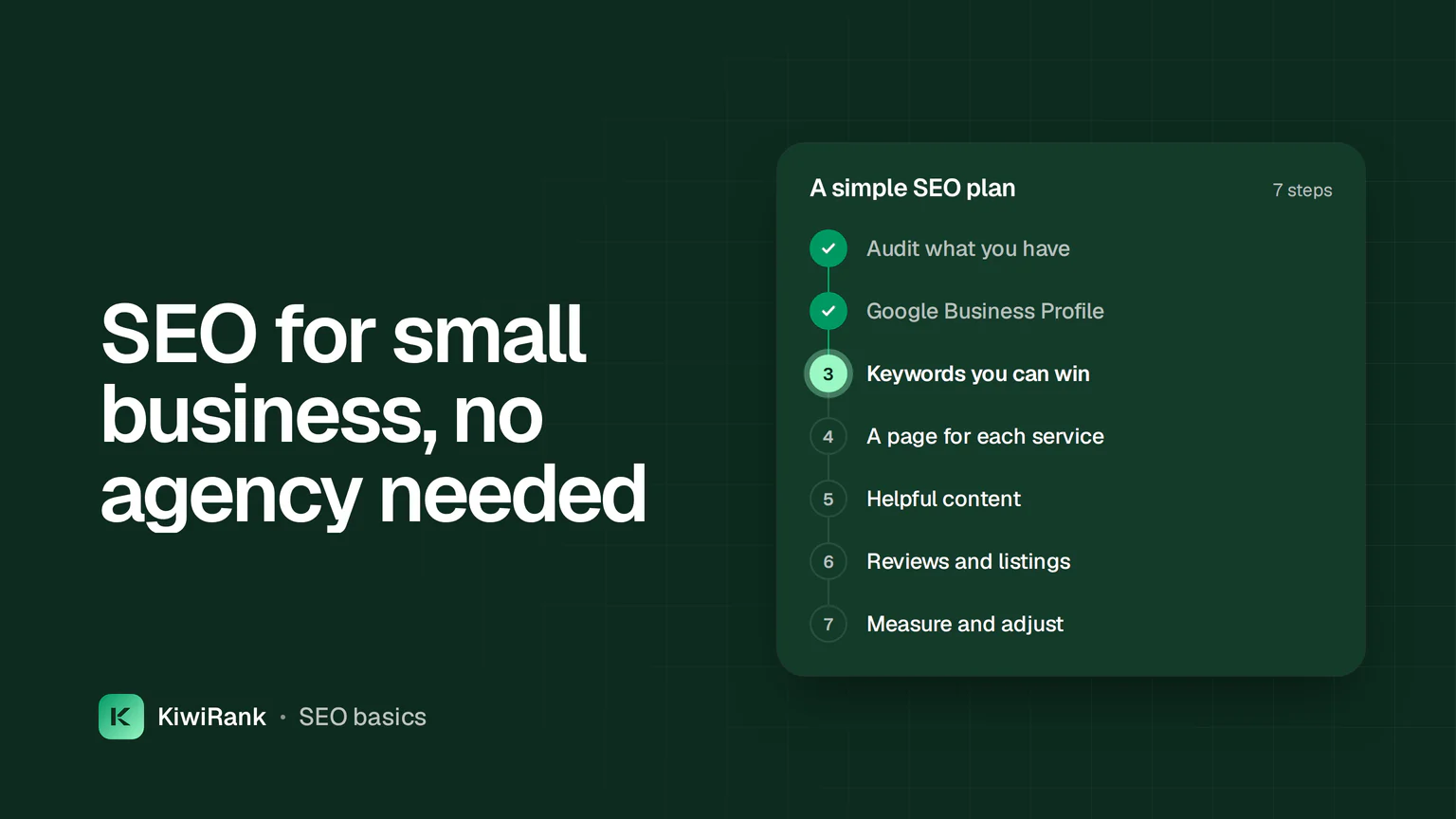
Here's the whole plan at a glance. Each step gets its own section below.
- Audit your site and content so you know what to fix.
- Claim and complete your Google Business Profile.
- Pick keywords you can realistically win.
- Build one clear page for each service you sell.
- Publish helpful content on a steady schedule.
- Earn trust with reviews, listings and links.
- Measure monthly and give it time.
Step 1: Audit what you already have
Start by finding out where you stand. Salesforce recommends a technical audit and a content audit as the first step, whether you've done a little SEO or none at all. The audit tells you the exact scope of work.
The technical audit looks for problems that stop Google reading your site. Check for missing or duplicate page titles and meta descriptions, slow pages, broken links and redirect chains. Make sure your site works well on a phone, because Google still uses mobile-first indexing.
The content audit is a list of every page and post you have, with its traffic and the searches it ranks for. It shows you which pages to improve and which topics are missing.
You can do this for free. The U.S. Chamber of Commerce's guide suggests Screaming Frog's SEO Spider for finding site issues, with a sensible beginner approach: scan a single page or a few URLs first, fix every error in one tab before moving on, and focus on issues you can fix yourself, like 404 errors, rather than server-side problems.
- Page titles and meta descriptions: present, unique, and describing the page.
- Speed: pages load quickly, especially on mobile.
- Security: the site runs on HTTPS.
- Forms and click-to-call buttons: they actually work.
- Sitemap: submitted so Google can find every page.
Step 2: Win local search with your Google Business Profile
If you serve customers in a specific area, this is your fastest win. According to The Small Business Expo, a fully optimized Google Business Profile captures the 76% of local searchers who visit a nearby business within 24 hours of their search. Salesforce cites Sagapixel data that almost half of all Google searches have local intent, and that many people who search locally go on to visit a store close to where they are.
Fatjoe notes that setting up a profile only takes a few days. Once it's live, people can see your reviews, hours, photos and a link to your site straight from Google Maps.
- Claim your profile and verify it.
- Use the exact same business name, address and phone number you use everywhere else.
- Choose the best primary category, then add relevant secondary ones.
- Add your services, hours, website and booking link.
- Upload real photos, and keep adding new ones.
- Answer common questions in the Q&A section.
- Update holiday hours before every holiday.
If you sell online and ship anywhere, local SEO matters less. Salesforce makes this point directly: small business SEO isn't always local. Skip ahead if that's you, but still claim your profile so your brand shows up when people search your name.

Step 3: Pick keywords you can actually win
A small site won't outrank big brands for broad terms like "shoes" or "accountant". It can win specific searches with clear buying intent, such as a service plus your town, or a niche product description. Those are the searches to target first.
Start with how your customers talk. Write down the questions they ask on the phone and the words they use. Then check them with a free tool. The U.S. Chamber's guide lists several:
| Free tool | What it helps with | Worth knowing |
|---|---|---|
| Google Keyword Planner | Keyword ideas from a term or a website | Needs a Google Ads account with billing set up; you can pause the campaign and still use it |
| AnswerThePublic | Questions people type into search engines | Three daily searches after free registration |
| Ahrefs free SEO tools | Keyword ideas and a difficulty checker | Lighter versions of paid tools |
| HigherVisibility tools | Keyword ideas, including from subreddits via Keyworddit | No registration or download needed |
| BrightLocal local search results checker | See local Google results for any city or ZIP code | Useful for checking your Map results |
Aim for a short list: one main keyword per service, plus the questions customers ask most. That list becomes your content plan for the next few months.
Step 4: Give every service its own clear page
One vague "Services" page can't rank for everything. The Small Business Expo recommends one page per core service, such as separate pages for bookkeeping, payroll and tax prep. Relevance wins.
Each page should do a few simple things well:
- Target one main keyword, used naturally in the title and headline.
- Answer the visitor's question in the first few lines.
- Explain your process, benefits and pricing context.
- Show proof: reviews, experience, photos of real work.
- Make the next step obvious: call, book, get a quote or visit.
Write for people first. Salesforce warns against stuffing a page with the same keyword over and over: readers won't stand for it, and it hurts your visibility in search. If you serve several towns, a page for each is fine, as long as each one says something genuinely useful about that area rather than swapping the city name into a copied template.
Step 5: Publish helpful content that Google and AI answers can use
Service pages bring in buyers. Articles bring in people earlier, while they're still researching, and help Google understand what your business knows. Answer the questions from your keyword list, one article per question.
Search has changed, too. People now ask ChatGPT, Perplexity and Google's AI Overviews before they click anything. The Small Business Expo says getting found now means being cited by AI as the trusted answer, not just ranking. It suggests a simple structure that works for AI answers and for people:
- Short answer at the top.
- Brief explanation.
- Supporting details.
- FAQ section.
- A clear call to action.
Add who wrote the piece, a publication date and real examples from your own work. Clear headings and direct sentences make it easy for AI tools to quote you.
Consistency is where most owners stall. Writing one good article a week on top of running a business is hard. If that's the part you'd rather hand off, KiwiRank plans, writes, illustrates and publishes an article for your business every day, made to be found on Google and in AI answers. It also tracks your AI-answer visibility and finds Reddit threads where buyers are reading.

Step 6: Earn trust with reviews, listings and links
Google wants to see that other people vouch for you. That comes from three places: reviews, business listings and links from other sites.
Reviews work best when they're specific. The Small Business Expo notes that a review mentioning the service, the city and the result carries more weight than "Great job." Ask every customer consistently, and reply to every review, good or bad.
Listings, or citations, are directory entries that show your name, address and phone number. Keep them identical everywhere. Mismatched details confuse search engines and customers alike.
For links, quality beats quantity. A few mentions from local organizations, business associations, local media and niche directories do more than a pile of random links. Salesforce adds a warning: check your backlinks every couple of months and disavow anything spammy, because bad links can drag your rankings down.
Step 7: Measure, adjust and give it time
SEO is slow. Salesforce says to expect at least six months before you see results if you're just starting, and longer for a brand-new website. The upside is that the work builds on itself: the foundation you lay early makes everything later easier.
Track a handful of numbers once a month: organic visits, calls and form fills from search, and where your main pages rank. The U.S. Chamber's guide mentions Seline, a privacy-first analytics tool whose free version covers 3,000 monthly events, as one lightweight option alongside Google's own tools.
Here's a simple rhythm that fits around a busy week:
| How often | Task |
|---|---|
| Weekly | Publish or update one page or article; ask recent customers for reviews; reply to new reviews |
| Monthly | Check traffic, leads and rankings; add new photos to your Google Business Profile; fix new site errors |
| Every couple of months | Review your backlinks for spam; refresh your oldest service pages |
| Before holidays | Update hours on your Google Business Profile |
Mistakes to avoid
- Quitting after six weeks because nothing moved yet.
- Chasing broad keywords you can't win instead of specific local ones.
- Buying cheap bulk links that can hurt your site.
- Letting your business details drift out of sync across listings.
- Publishing in bursts, then going quiet for months.
Conclusion
You don't need an agency to grow organic traffic. Audit your site, complete your Google Business Profile, target searches you can win, give every service a clear page, publish helpful content steadily, and earn reviews and good links. Check your numbers monthly and give it at least six months. If writing and publishing is the step you'd rather not do yourself, KiwiRank writes and publishes an article for you every day, so you get found on Google and in AI answers. Start a plan and it starts writing your first articles.
Frequently asked questions
How long does small business SEO take to work?
Salesforce says to expect at least six months to see results when you're starting out, and longer if your website is new. Local wins from a complete Google Business Profile can come sooner.
Can I really do SEO for free?
Mostly, yes. Free tools such as Google Keyword Planner, AnswerThePublic, Screaming Frog and BrightLocal's local results checker cover research and audits. Your main cost is time.
Should I pay for ads instead?
Ads work fast but stop the moment you stop paying. Fatjoe cites average small business PPC costs of $5,000 to $10,000 a month, against about $500 for SEO. Many businesses use both, with SEO as the long-term base.
Do I need to worry about AI answers?
Yes. People now ask tools like ChatGPT and Google's AI Overviews for recommendations. Pages that answer the question early, use clear headings and include FAQs are easier for those tools to cite.